
Files
Save a .breeze file
SummaryKeep the editable design, and write a second copy without leaving this one.
A .breeze file is the design you reopen and keep editing. Save writes that file. Export writes a separate file for the machine.
Save
The name field and the disk sit in the top bar, after Library.
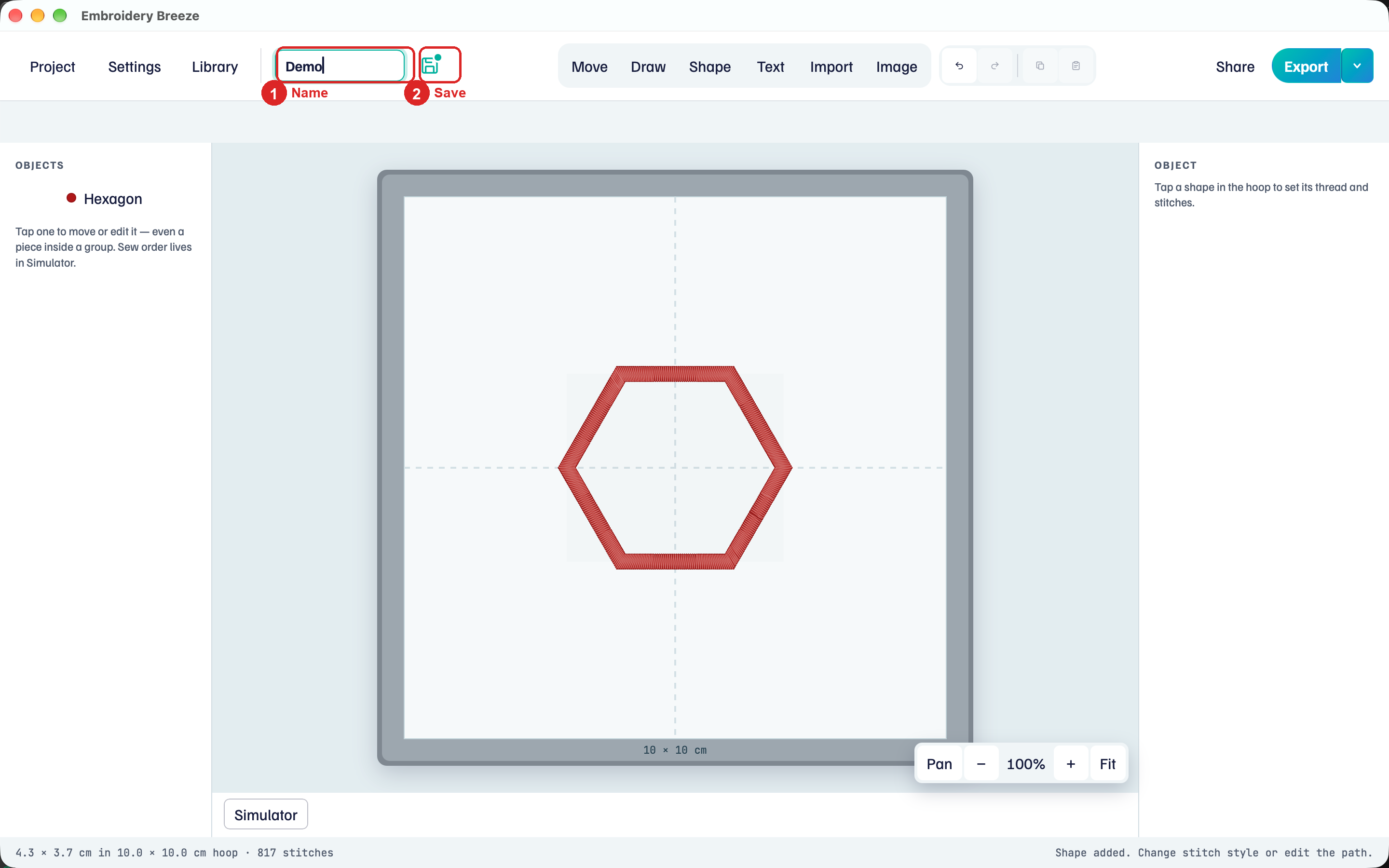
- Click the name field and type a name, such as
Demo. - Click the disk, or choose Project → Save.
- The first save asks for a folder. Later saves update that file.
The disk is teal when the current version is saved. Recents in the Project menu reopens a .breeze file you saved or opened on this computer.
Save needs a license after the trial. Settings shows the license on this computer.
Save Copy
Save Copy writes a second .breeze file and keeps this one open.
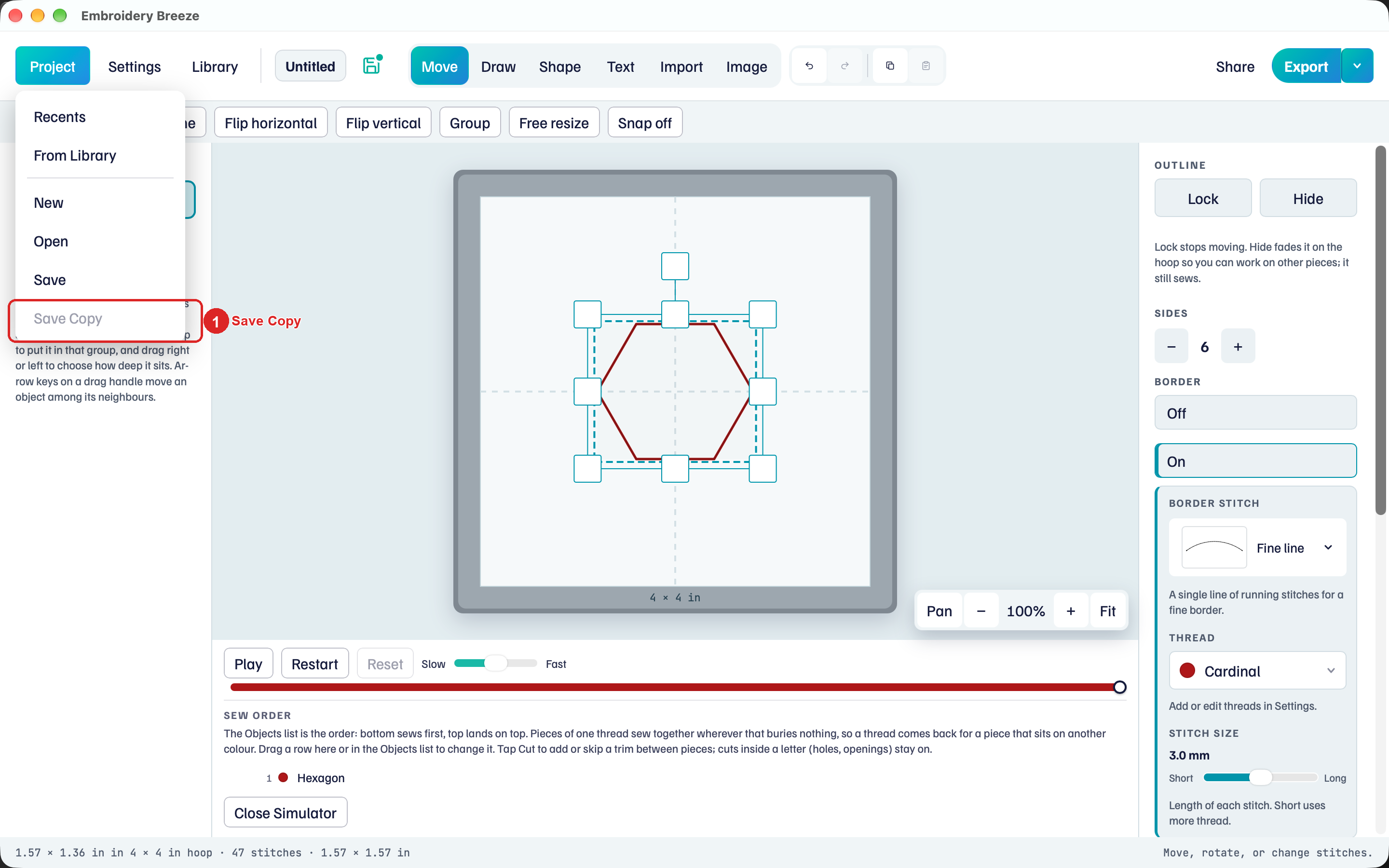
- Save the design once. Save Copy stays unavailable until there is a file.
- Choose Project → Save Copy (⇧⌘S).
- Pick a name and folder. You stay in the original file.
The hint: Save the project first. Save Copy then writes a second file and keeps you in this one.
Unsaved changes
Project → New and Project → Open replace this design. If there are unsaved changes, Embroidery Breeze asks first.
The title is Save your changes? The hint: This design has unsaved changes.
- Save writes this
.breezefile, then continues. - Don't save continues without writing.
- Cancel stays in this design.
The same prompt appears when Open in Library would replace this project.
Project → Open opens a .breeze file. Import adds objects to this hoop: Import SVG and other Breeze files.