
Files
Export to a USB stick
SummaryWrite a machine file you copy to a USB stick, and print a real-size preview.
Export writes a machine file from this hoop. The .breeze file stays the one you edit. Copy the exported file to a USB stick (or a folder you will copy to one), then open it on the machine.
Format and File
The filled Export button uses the last Format and Send to target. The caret next to it opens the menu.
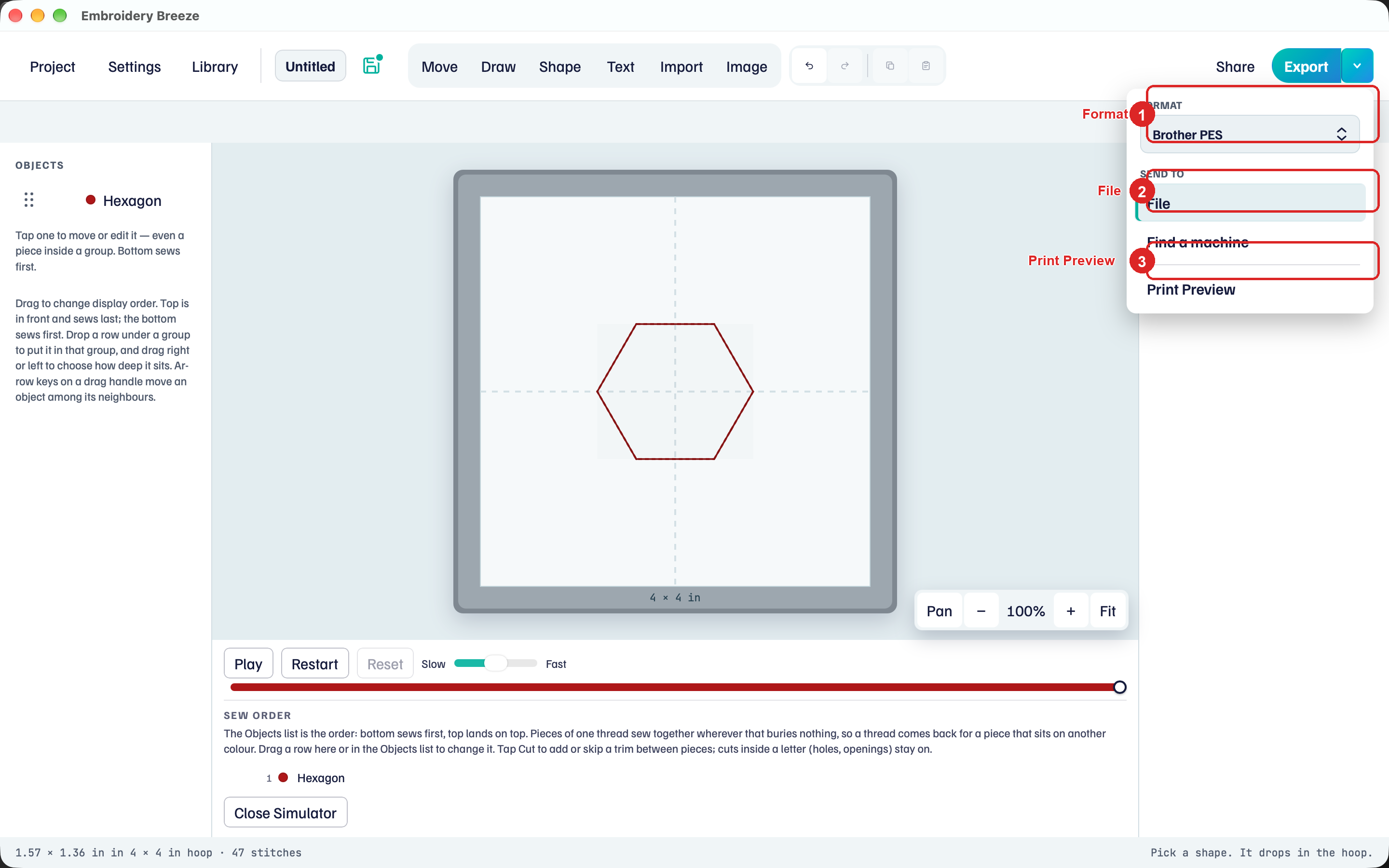
- Click the caret next to Export.
- Under Format, choose the format your machine uses. The list is Brother PES, Tajima DST, Janome JEF, Melco EXP, Pfaff VP3, and Singer XXX.
- Under Send to, click File.
- Click Export and choose where to save the file.
DST and EXP also write a PNG preview and a text thread-order guide next to the file. Those formats do not carry thread colors in the machine file.
An empty hoop cannot export. Add a shape first. Export needs a license after the trial.
After export
The status line names the stitch count and the format. Keep the .breeze file as the editable design.
Print Preview
Print Preview in the same menu opens a real-size PDF of the stitches. Print that PDF at 100% (Actual Size) and tape the paper on the garment.
Sending the file over Wi-Fi is a separate job: Send wirelessly.