
Design
Bought letter alphabets
SummaryImport a folder of machine letters and type with them on the hoop.
A bought alphabet is a folder of machine letters you already own, such as A.pes or B.dst. Embroidery Breeze maps those files to keys so you can type. The stitches stay frozen: scale, recolor, and place them. There is no outline or fill from paths, and no Digitize it.
Import the folder
Import a font is on the Text tool row, next to Digitize a font.
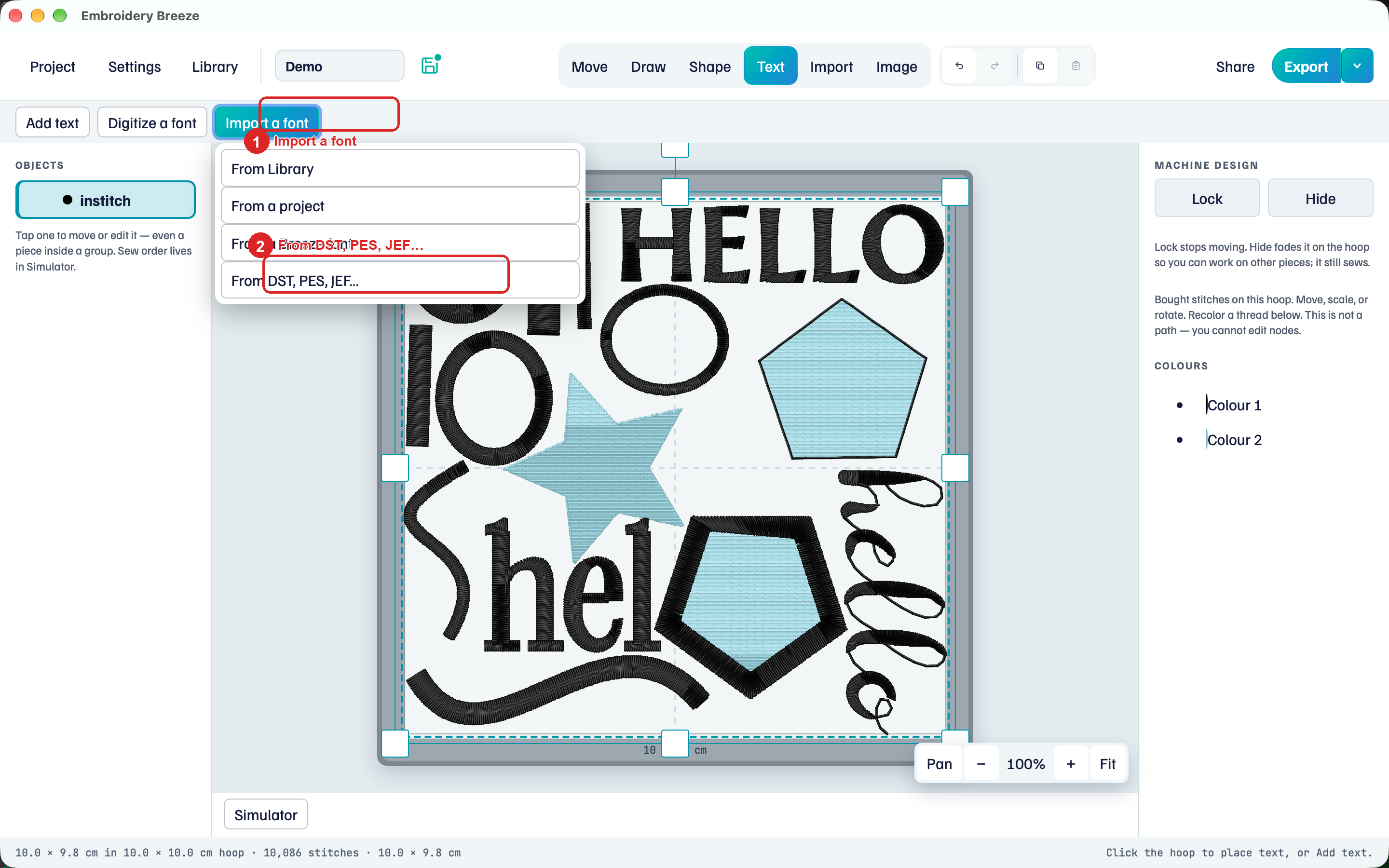
- Click Text, then Import a font.
- Click From DST, PES, JEF….
- Choose the folder of letter files.
The font digitizer also has Import letters I bought. Same folder.
BX stays with the seller’s software. Import the machine letters from the zip.
If the name already exists, Embroidery Breeze saves a distinct name instead of overwriting.
Type with Bought
- Click Add text.
- Open the font picker. Bought alphabets lists the import. The badge is Bought.
- Type. Missing letters are skipped, with a notice.
Keep the lettering near the alphabet’s digitized size. Play Simulator.
Change mappings
If a letter landed on the wrong key, Change mappings.
- Select the text. Click Change mappings.
- Click the letter, then type the key it should use. If that key is taken, the two swap.
Scale notice
The notice names the reference height in millimetres. Scaling far from that size can sew too dense or too sparse.
Turn into path is for digitized fonts. Bought letters stay stitches.